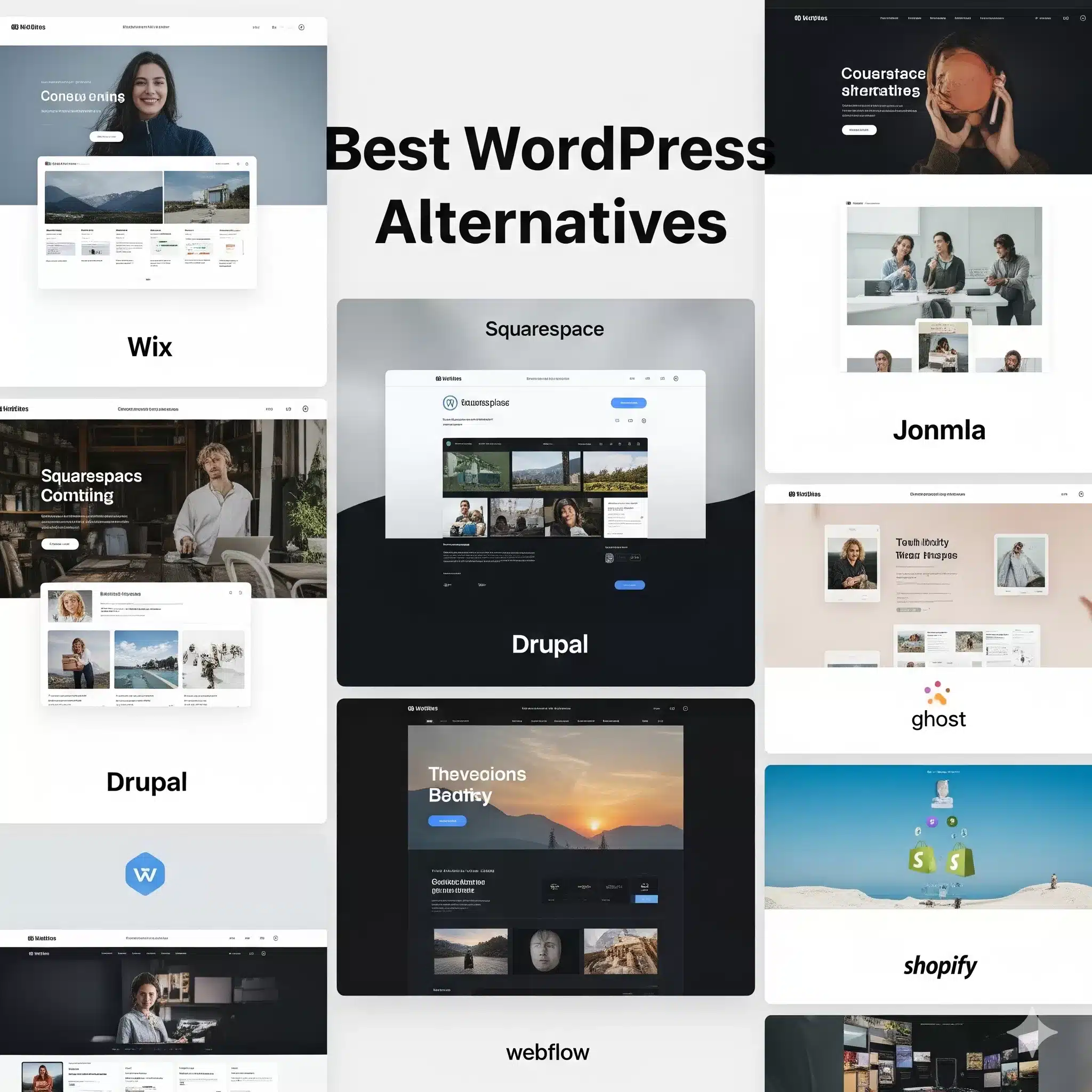
Is WordPress holding your website back?
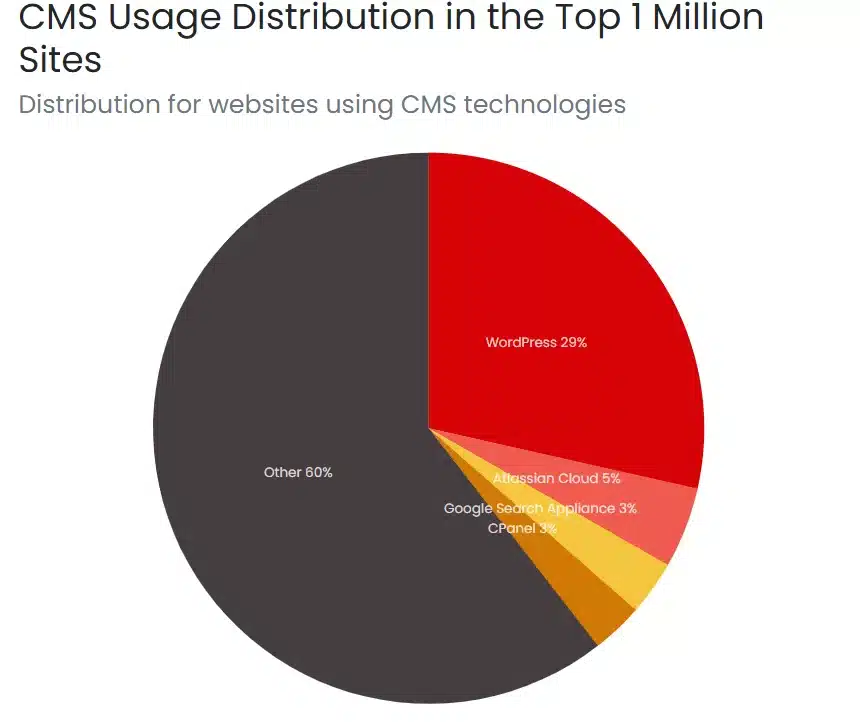
In 2025, over 43% of all websites still run on WordPress—but frustration is growing. From constant plugin updates to major security flaws, today’s businesses are asking: “are there any better WordPress Alternatives ?”
According to builtwith.com
This guide breaks down why users are moving away from WordPress, the best modern alternatives, and how to migrate without losing SEO rankings.
Why Businesses Are Leaving WordPress
Security Risks
- 70% of WordPress sites are vulnerable to attacks (due to outdated plugins/themes; we have seen around 85% or more of our cutomers they never update their plugins and themes and almost all the websites get in to troubles in years time).
- Common threats: malware injections, brute force hacks, SQL injections.
Maintenance Headaches
- Daily/weekly updates required.
- Plugins frequently break sites during updates.
- Community forums offer no guaranteed support.
Performance Bottlenecks
- Each plugin slows down page load speed( more plugins/codes on site will kill the speed of the website, no spped optimization tool can make it faster)
- Poor Core Web Vitals = lost Google rankings( The biggest problem with WordPress)
Scalability Issues
- As websites grow, performance dips and costs rise.
- Requires expensive hosting + custom developer support.( the cost of a custom wordpress development is very high and also the cost of a wordpress developer)
Limited Support
- No direct customer service—only forums and community goodwill.
Quick Fact Box: A 1-second delay in site speed = 7% lower conversions. Slow websites cost real money.
The Best WordPress Alternatives
To make it easier, here’s a comparison snapshot:
| Platform | Best For | Pricing | Advantage over WP | Example Users |
|---|---|---|---|---|
| Sanity | Content teams | $15/user | Real-time collaboration | Eurostar, InVision |
| Payload CMS | Developers | Free OS | Full code-first control | Microsoft, ASICS |
| Ghost | Creators/Publishers | $9–199 | Built for monetized blogs | Unsplash, Buffer |
| Drupal | Enterprises/Gov | Free+ | Security & multilingual | White House, The Economist |
| Joomla | Mid-sized businesses | Free+ | More built-in features | Forums, NGOs |
| Wix | Small businesses | $17–159 | No hosting needed | SMBs worldwide |
| Webflow | Designers/agencies | $14–39 | Visual drag‑drop + hosting | Freelancers, Startups |
| Shopify | E-commerce | $29–2000+ | Sales-first architecture | 1M+ merchants |
| HubSpot Content Hub | B2B marketers | $15+ | CRM + lead gen integrated | SaaS, Enterprise |
| Divhunt | Mid-sized businesses | Free+ | Visual drag‑drop + hosting | Professional websites |
| Oxygen | Creators/Publishers | $ 199.50 (Liftime Bundle) | Visual drag‑drop + hosting | SMBs worldwide |
Which WordPress Alternatives Is Right for You?
Choose a Headless CMS (Sanity, Payload, Directus) if:
- You want scalability + multi-channel delivery (apps, IoT, web).
- Dev team is comfortable with APIs + code.
Headless CMS
Headles CMS are the platforms in which the Head portion of the Website is separate from the Body of the website, which means the content in the pages is delivered through an Api.Read more about Headless CMS here
Choose a Website Builder (Wix, Webflow, Hostinger) if:
- You need fast setup, modern design, no maintenance.
- You’re a small business or freelancer.
Choose E-Commerce Platforms (Shopify, BigCommerce) if:
- Your primary business is online sales.
- You need advanced checkout flows + marketing tools.
Choose Drupal / Joomla if:
- You run government, NGO, or enterprise-level projects.
- Priorities = security + multilingual capability.
Migration Made Simple: SEO-Safe Steps
Step 1. Audit Your Site
- List all pages, URLs, traffic sources.( The best Tools to do the site audit are semrush.com, ahrefs.com, seoptimer.com or any other simillar tools can be used)
Read: The Ultimate Guide to Free AI Marketing Tools for Higher ROI
Step 2. Create Redirect Map (301s)
- Preserve SEO rankings. ( if you are using rankmath plugin then redirection is included in free plan and if using yoast, the use Redirection Plugin )
Step 3. Backup & Migrate
- Use platform migration tools or hire experts.
Step 4. Submit New Sitemap
- Google Search Console update.
Step 5. Test Performance & Core Web Vitals
- Ensure improved speed + UX post-migration.
WordPress vs Alternatives: The Real Costs
WordPress Costs (Annual Est.):
- Hosting: $60–$600
- Plugins & themes: $200–500+
- Security tools: $100–300
- Developer/maintenance: $2,000–5,000
Total: $2,000–8,000 per year
Alternatives (Annual Est.):
- Wix/Webflow: $168–1,900 (all-in-one, zero maintenance)
- Shopify: $348–27,600 (depends on scale)
- Sanity / Ghost / Drupal: Lower recurring costs, higher dev costs upfront
Hidden truth: WordPress looks cheap—but long-term maintenance pushes costs higher than modern alternatives.
Quick Answer: Is WordPress Still Worth It?
WordPress works if:
- You’re a skilled developer who can handle updates.
- You’re running a basic blog or portfolio site on a budget.
It’s time to switch if:
- Security breaches + updates are draining your time.
- Your site is slow, and Google rankings are falling.
- You need enterprise-scale performance + support.
FAQs on WordPress Alternatives
Is WordPress obsolete in 2025?
No—but many businesses find faster, more secure options better suited for growth.
What is the best WordPress alternative for SEO?
Webflow and Ghost are strong for SEO, while Sanity & Payload provide future-proof scalability.
Will I lose SEO if I migrate?
Not if you implement 301 redirects, sitemap updates, and structured migration planning.
Is Shopify better than WordPress for e-commerce?
Yes, Shopify is purpose-built for online sales with advanced features out-of-the-box. But it has got its own recurring cost.